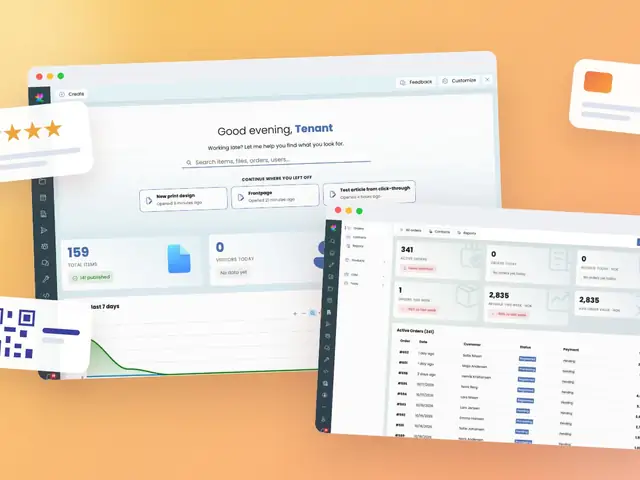
Every organization drowns in a slightly different way — some in bookings, some in orders, some in event schedules. That's why the Backstage dashboard isn't a fixed report; it's your dashboard.
The pain it solves: Admins waste the first 20 minutes of every workday clicking through menus just to find out "what happened yesterday" — new orders, upcoming events, recent content changes.
How it helps:
The happy workday: Log in, see what needs attention, act — no digging required.
A well-organized dashboard reduces the cognitive load of running day-to-day operations. Staff spend less time navigating and more time acting on what actually needs attention. For organizations juggling multiple modules (shop, events, content, people), a single customizable home base keeps everyone oriented.
The dashboard is implemented as a Blazor Server page (ExireNexus.Backstage/Components/Pages/Dashboard.razor), rendered with InteractiveServer render mode for real-time interactivity without full-page reloads.
Key implementation points:
/backstage/dashboard, protected with [Authorize] and role-based access ([Authorize(Roles = "admin")]) at the page level, with widget-level visibility further scoped by role.ExireNexus.Backstage/Components/Pages/Dashboard/Widgets, allowing new widget types to be added independently of the dashboard shell.ISharedStateStore, keyed by the authenticated user's ID (ClaimTypes.NameIdentifier), so each admin's dashboard configuration survives across sessions.FluentToolbar, FluentButton, FluentMenu, FluentSpacer) for a consistent, accessible design language shared across all Backstage pages.IDialogService, keeping the page markup declarative and free of manual modal state management.IItemService, IUserService, IEventService) directly — no additional abstraction layer was introduced, consistent with the platform's minimal-abstraction philosophy.Built on .NET 10 / C# 14 and Blazor Server, the dashboard benefits from real-time server-rendered updates without a heavy client-side JavaScript framework.