
Power your entire organization from one unified platform — where content, customers, reservations, and transactions live together, not scattered across five separate vendors.
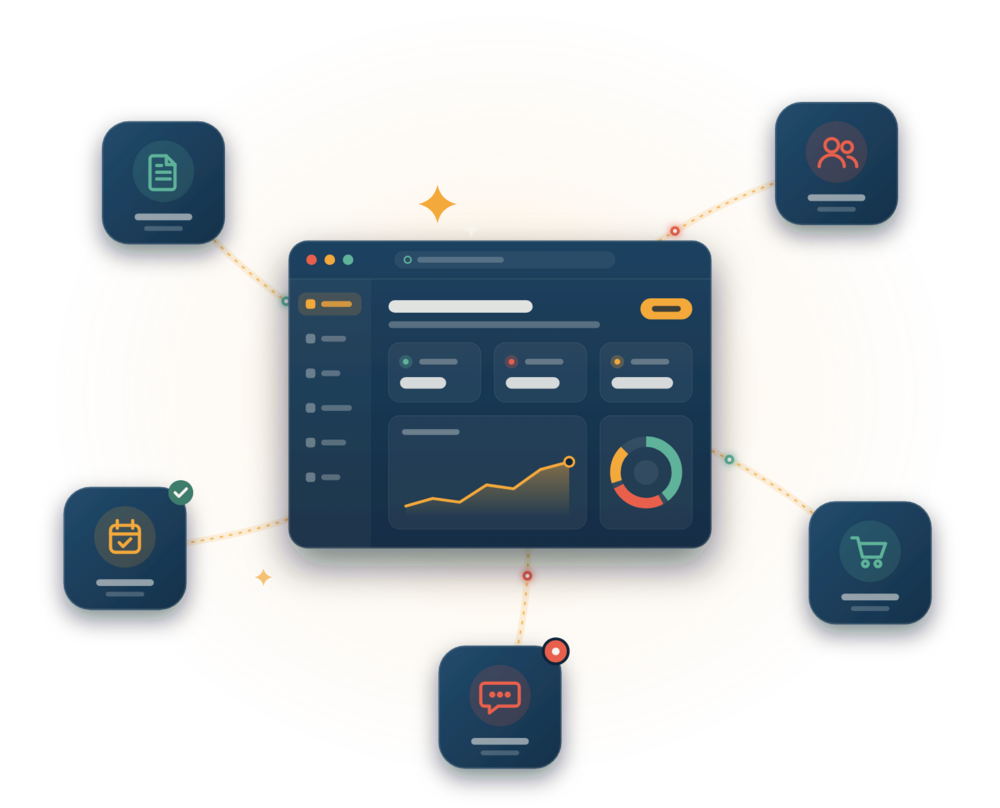
Track customers, members, and volunteers without exporting to spreadsheets. Every interaction, every purchase, every booking lives in one CRM — connected to your website, your chat, your calendar.
Team chat and customer conversations in one place — stay on top of every relationship without context-switching.
Group contacts by behavior, purchase history, or role. Run campaigns, send updates, or coordinate volunteers automatically.
Workflows trigger based on real events — a booking, a purchase, a form submission. No manual spreadsheet updates.
GDPR-compliant, with granular permissions. Your team accesses only what they need — no data leaks.
No separate booking tool. No external shop platform. Reservations, transactions, and follow-up — all connected through your brand.
Let customers book rooms, time slots, or services directly from your site. Avoid double-bookings with automatic conflict detection. Send reminders automatically.
Sell products, digital downloads, or tickets. No separate merchant account or backend. Inventory, pricing, and customers all visible to your team.
Edit pages, schedule posts, update menus, and manage your entire web presence — no developers required. Your design, your way.
Build pages visually. Your brand stays consistent, and your team stays in control. No locked-in templates, no design compromises.
Plan your content calendar. Schedule posts, campaigns, and updates to go live automatically — coordination across the entire team.
An AI assistant understands your content and can make updates — not just suggest them. Write once, deploy everywhere.
An overview of the features and modules available in eRedaktør, organized by area. Expand a section to read more about each feature.
Manage pages, articles, and structured content with a flexible page and paragraph editor.
Posts, scheduling, categories, and author roles for ongoing news publishing.
Structured help pages with categories and search for self-service support content.
Meta tags, sitemaps, schema markup, redirects, and SEO audits for your content.
Advanced customization mode for adjusting layout and design directly on the page.
Run experiments to compare layouts and content variations for better results.
Upload, preview, tag, and manage documents in a shared file library.
Upload, tag, and organize images into albums for reuse across your content.
Organize, search, tag, and share images, video, documents, and more from one library.
Upload, tag, and embed videos with automatically generated thumbnails.
Manage products, categories, variants, and inventory for physical and digital goods.
Customer carts, order processing, shipping, and automated receipts.
Stripe, Vipps, and PayPal keys, webhooks, and transaction logs.
Book overnight stays or daily rooms with real-time availability checks.
Book meeting rooms by the hour, view daily schedules, and manage availability.
Time slots, capacity limits, waitlists, and booking confirmations.
Tickets, RSVPs, attendee lists, and automated reminders for events.
Collect, moderate, and showcase ratings and reviews from customers.
Manage members, membership types, renewals, and household registrations.
Register volunteers, organize teams and crews, and fill roles on the schedule.
Keep content only available for selected user groups, such as staff or members.
Connect your mailbox to read and reply to email inside the workspace.
Create and embed forms with validation, collected in a shared inbox.
Design campaigns, segment audiences, and send newsletters to subscribers.
Messenger-style direct and group messaging between back-office users.
Real-time chat with visitors, canned replies, and bot handover.
Unified inbox for forms, support requests, and message history.
Configure API keys and send transactional emails through SendGrid.
Create events, sync availability, and share calendars across the organization.
Plan event run sheets, assign roles, and manage equipment.
Personal task lists with quick-add, due dates, and priority management.
Track traffic and visitor engagement across your site.
Connect Facebook, Instagram, and LinkedIn to publish and track social content.
Capture leads, manage pipelines, and track deal stages.
Roles, permissions, SSO/OAuth, and access audit logs.
Cookie consent, GDPR/CCPA settings, and consent logs.
Content snapshots, restores, and full change history.
Connect external services and APIs to extend the platform.
Separate installation for custom-built apps, set up on request.
Configure and manage your organization's mobile app experience.
Automatically translate content when creating a new language version of a page.
Generate draft page and article content with AI, then edit as needed before publishing.
Generate calendar events and descriptions with AI assistance.
General AI prompts and assistance available throughout the content editor.
A quick overview of common platform capabilities. Most are included by default; some belong to optional apps that may cost extra (marked below).
| Feature | Description | Availability |
|---|---|---|
| Content & structure | ||
| Language support | Multi-language content with per-language versions of the same page. | Included |
| Menu structure | Build and organize hierarchical navigation menus for your site. | Included |
| Articles & posts | Structured content types for evergreen articles and dated news posts. | Included |
| Lists & content types | Item lists, columns, accordions, carousels, and other reusable content blocks. | Included |
| Content templates | Reusable page and section templates to speed up content creation. | Included |
| Soft delete | Deleted content is moved to trash first, so it can be recovered if needed. | Included |
| Comment section | Let visitors comment on articles, posts, or other content. | Included |
| Forms & search | ||
| Contact form | Built-in contact form block with spam protection and email delivery. | Included |
| Order & custom forms | Build custom forms with validation for orders, sign-ups, or any other data. | Included |
| Search engine | Full-text search across your content, with a dedicated search page block. | Included |
| SEO options | Meta titles, descriptions, sitemaps, and redirects for better search visibility. | Included |
| Users, access & security | ||
| Users & groups | Manage back-office users and organize them into groups. | Included |
| Roles management | Assign roles such as admin or editor to control what each user can do. | Included |
| Rights management | Fine-grained permissions for who can view, edit, or publish specific content. | Included |
| Intranet | Restrict content to selected user groups, such as staff or members only. | Optional app |
| Media & design | ||
| Gradient generator | Design tool for creating custom color gradients for backgrounds and buttons. | Included |
| Image cropper | Crop and resize uploaded images directly in the editor. | Included |
| Data & developer tools | ||
| Import | Import content, products, or members from external sources. | Included |
| Export | Export data for backup, reporting, or migration purposes. | Included |
| Developer area | API keys, integrations, and configuration tools for developers. | Included |
| Integrations | Connect external services and APIs to extend the platform. | Included |
| Communication | ||
| Chat | Messenger-style direct and group messaging between back-office users. | Included |
| Mail (IMAP) | Connect your mailbox to read and reply to email inside the workspace. | Included |
| Tickets / support | Unified inbox for support requests, forms, and message history. | Optional app |
| Productivity & AI | ||
| TODOs / Tasks | Personal task lists with due dates and priority management. | Included |
| AI integrations | Content generation, automatic translation, and event generation powered by AI. | Included |
| PWA | Install your site as a Progressive Web App with offline support. | Optional app |
Optional app features are part of add-on modules that may have an additional monthly cost. Contact us for details.